
“Was that deep enough?”
You can’t see your own squat. Without a coach or a mirror, a half rep feels exactly like a full one.
For people who train on their own
Train with confidence, even without a coach. Incli uses your iPhone camera to check every squat, shows what to fix, and tells you what to train next.
Free squat check · 7 days of Pro free · No wearables
Sound familiar?
You can’t see your own squat. Without a coach or a mirror, a half rep feels exactly like a full one.
You show up and finish the workout, but you still can’t tell whether you’re getting better.
Random workouts leave some muscles overworked and others forgotten — and you never know which.
Incli gives you a coach’s eye on every rep and a plan to follow — on the phone you already own.
Live form check
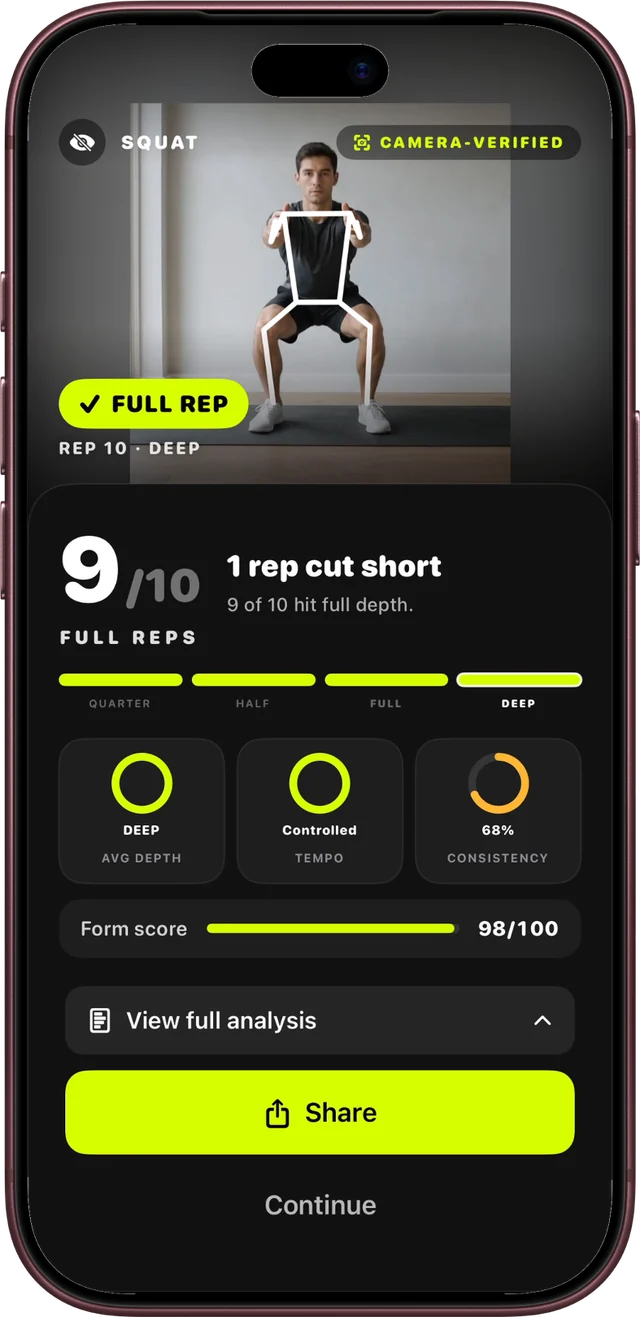
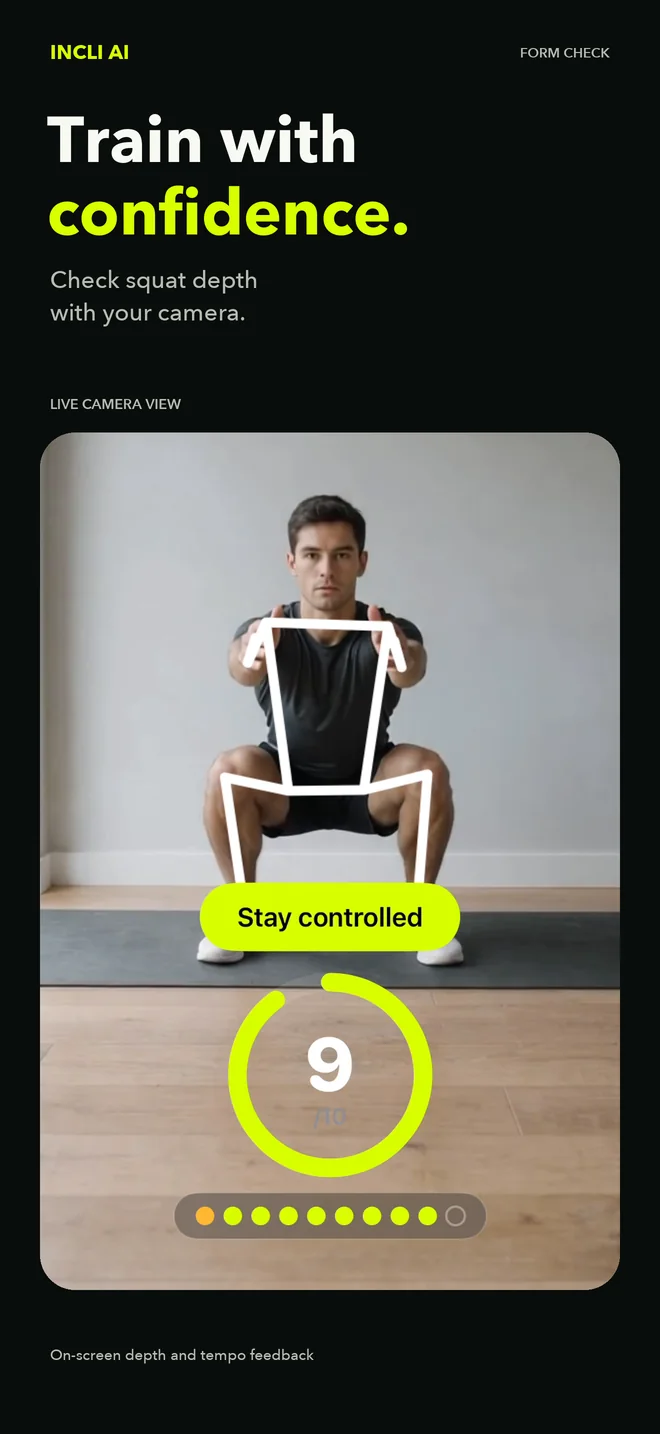
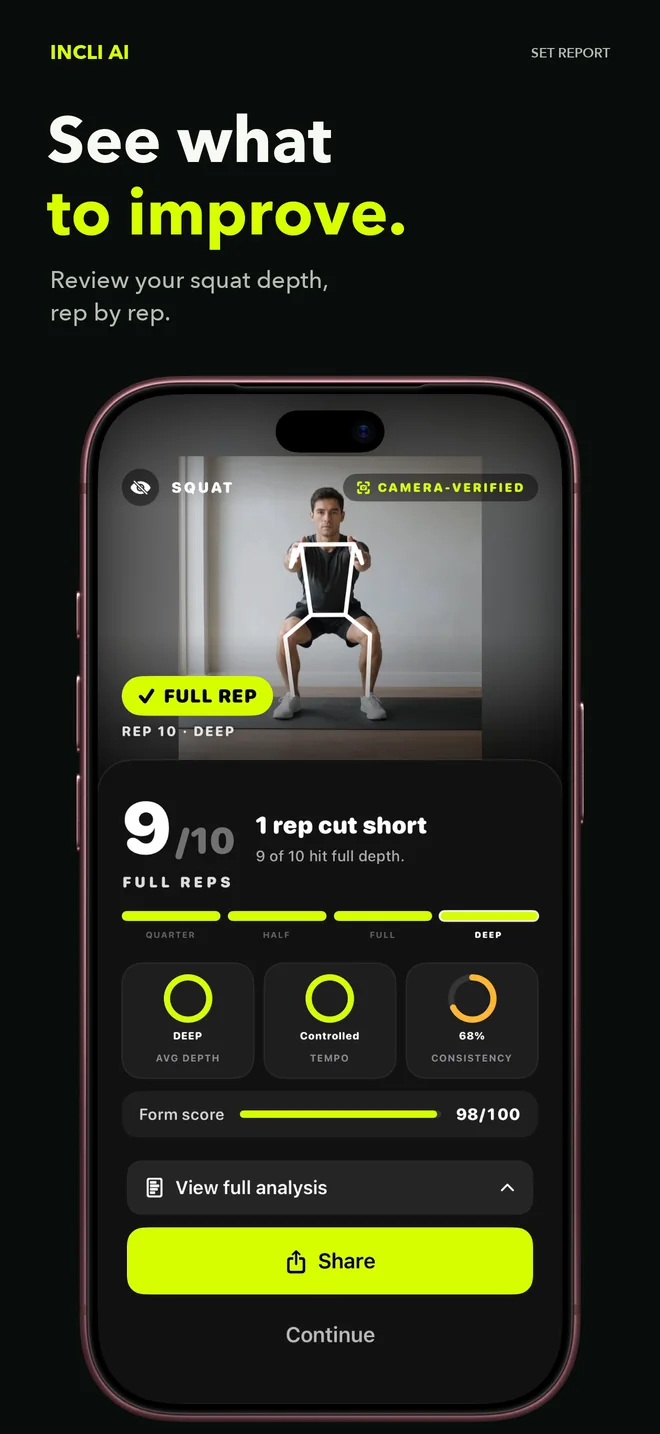
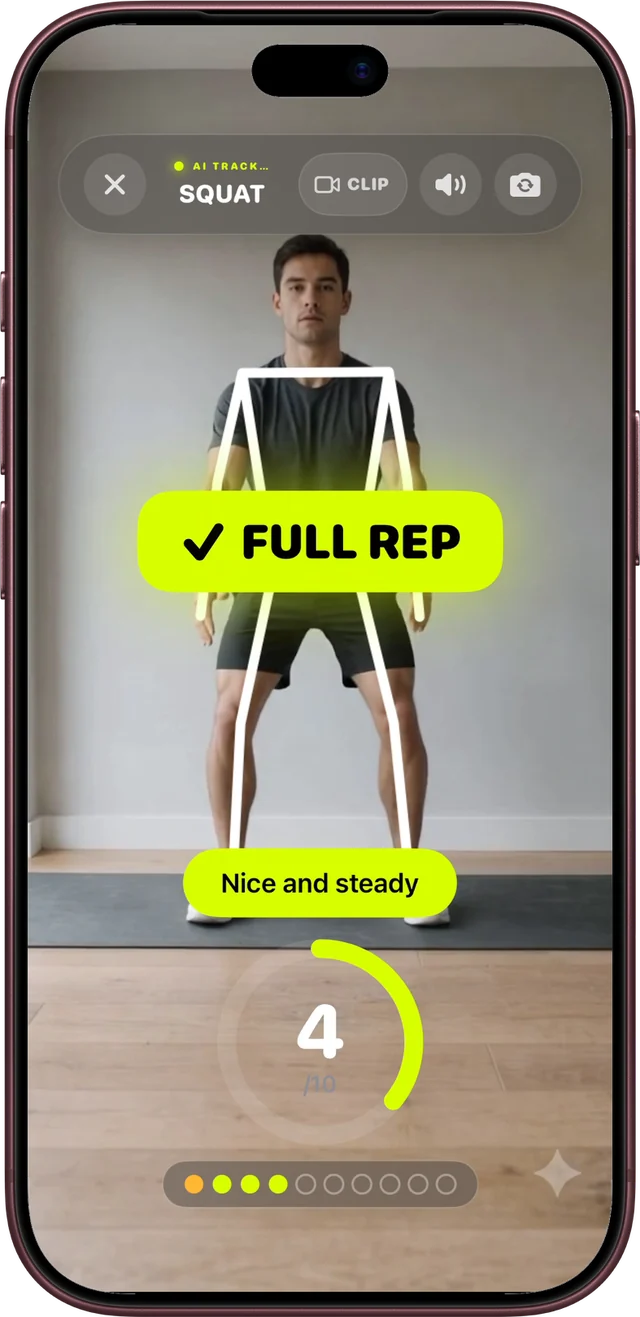
Prop up your iPhone and squat. Incli tracks your joints live, marks every rep that reaches full depth, and tells you to slow down when you rush. You stop wondering and start trusting each rep.
Set report
After the set you see how many reps hit full depth, which ones were cut short, and how steady your tempo was — plus one score to beat next time.
Workouts
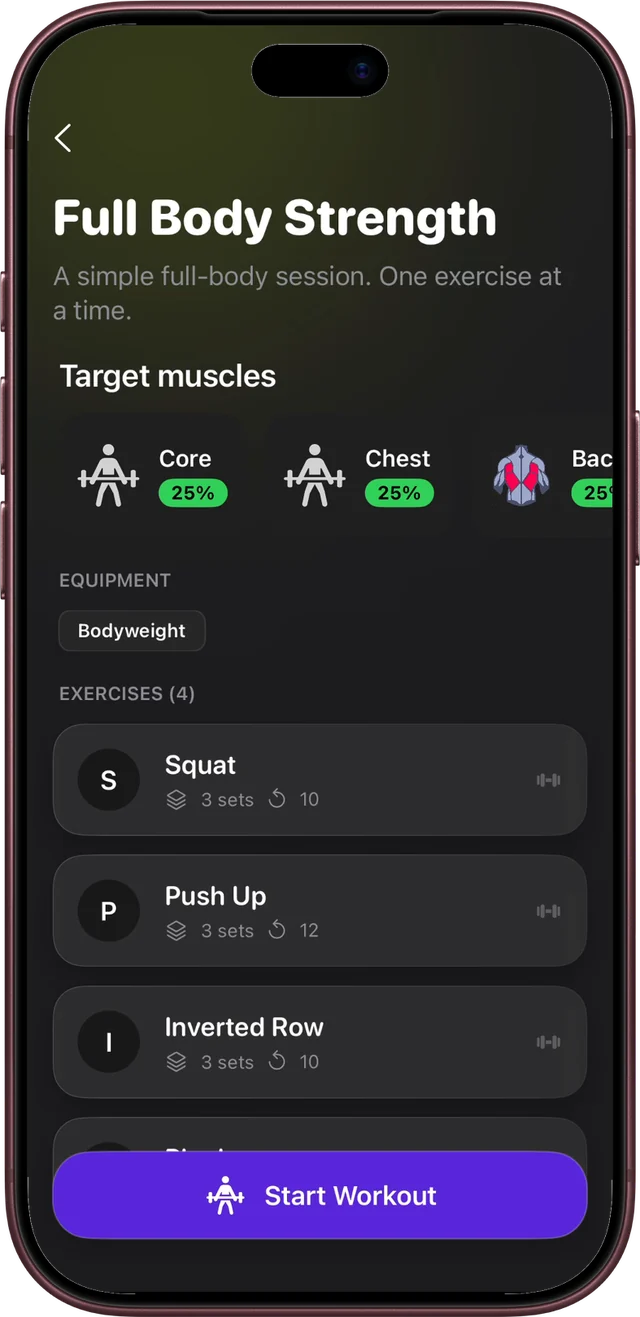
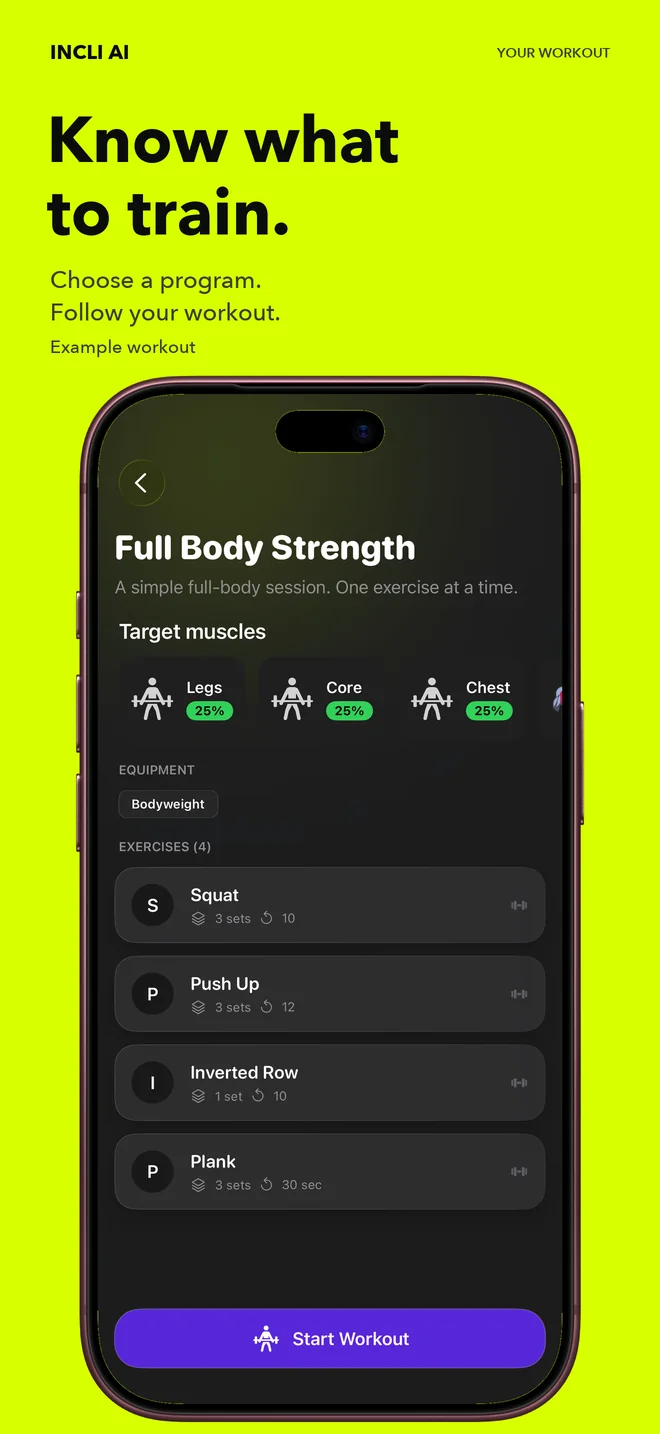
Pick a program and follow it one exercise at a time. No more standing in the gym scrolling for ideas.
Training map
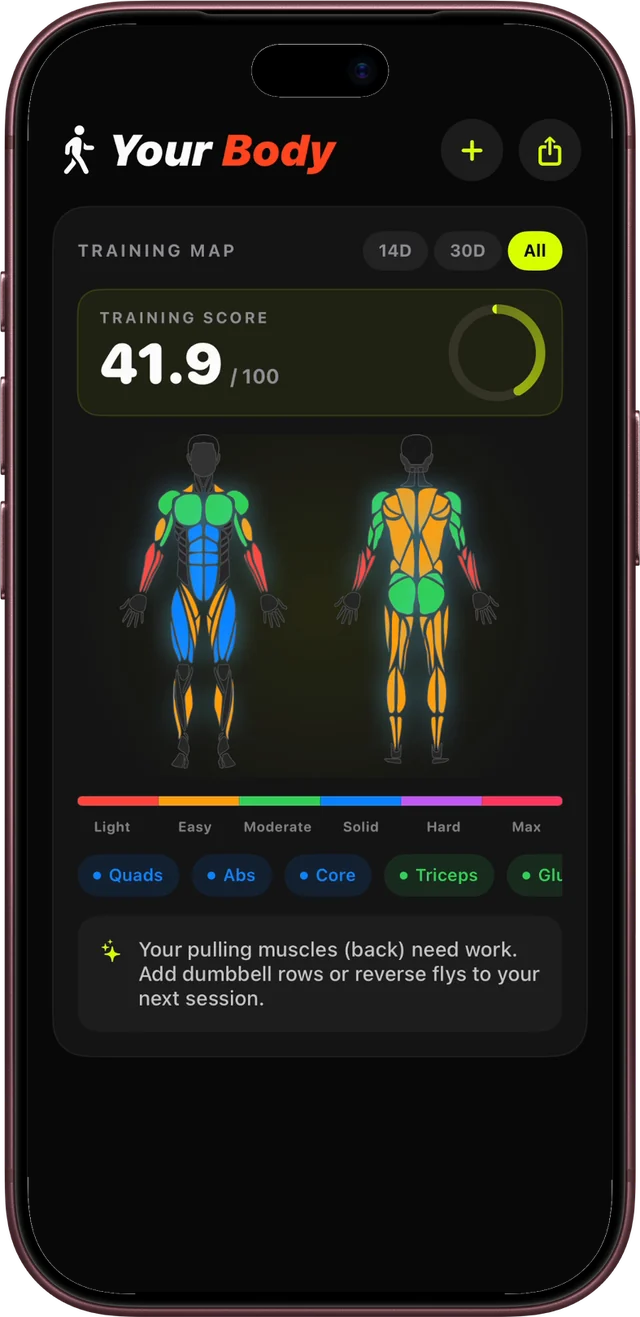
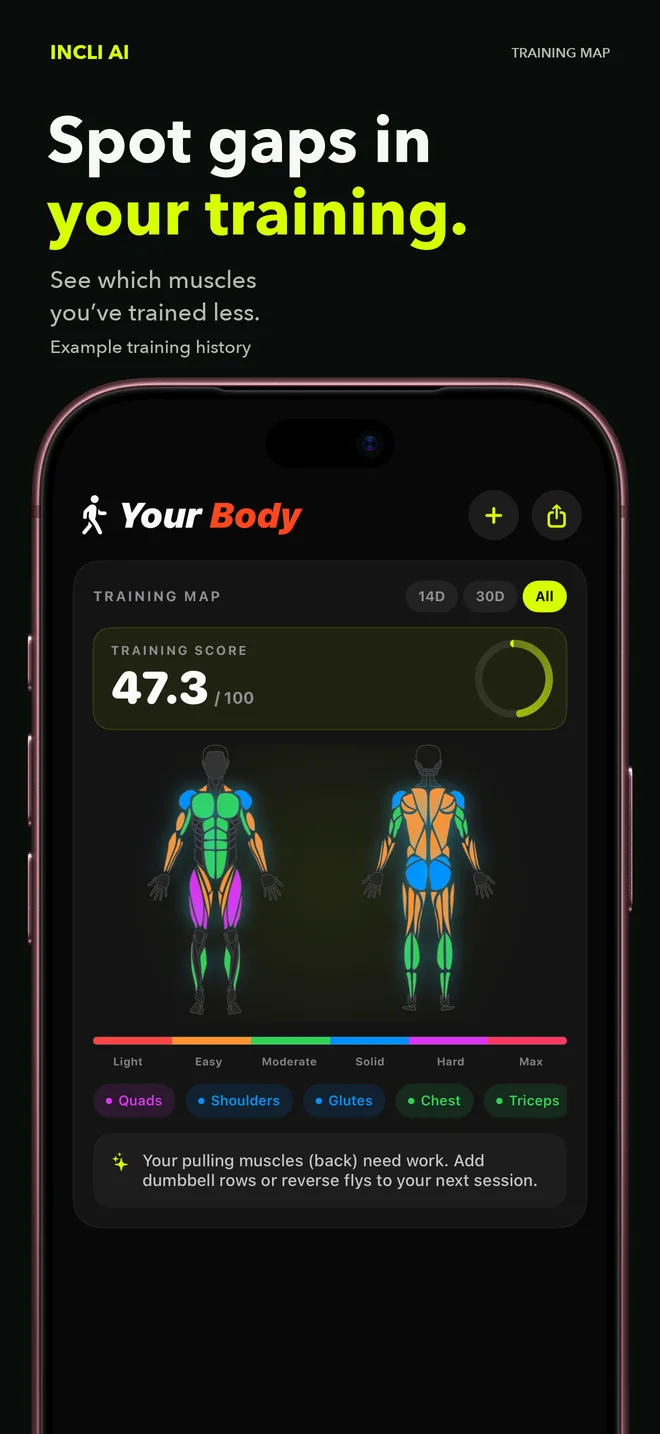
Your muscle map fills in from the workouts you do, so you can see which muscles you’ve trained less — and what to add next session.
Technique path
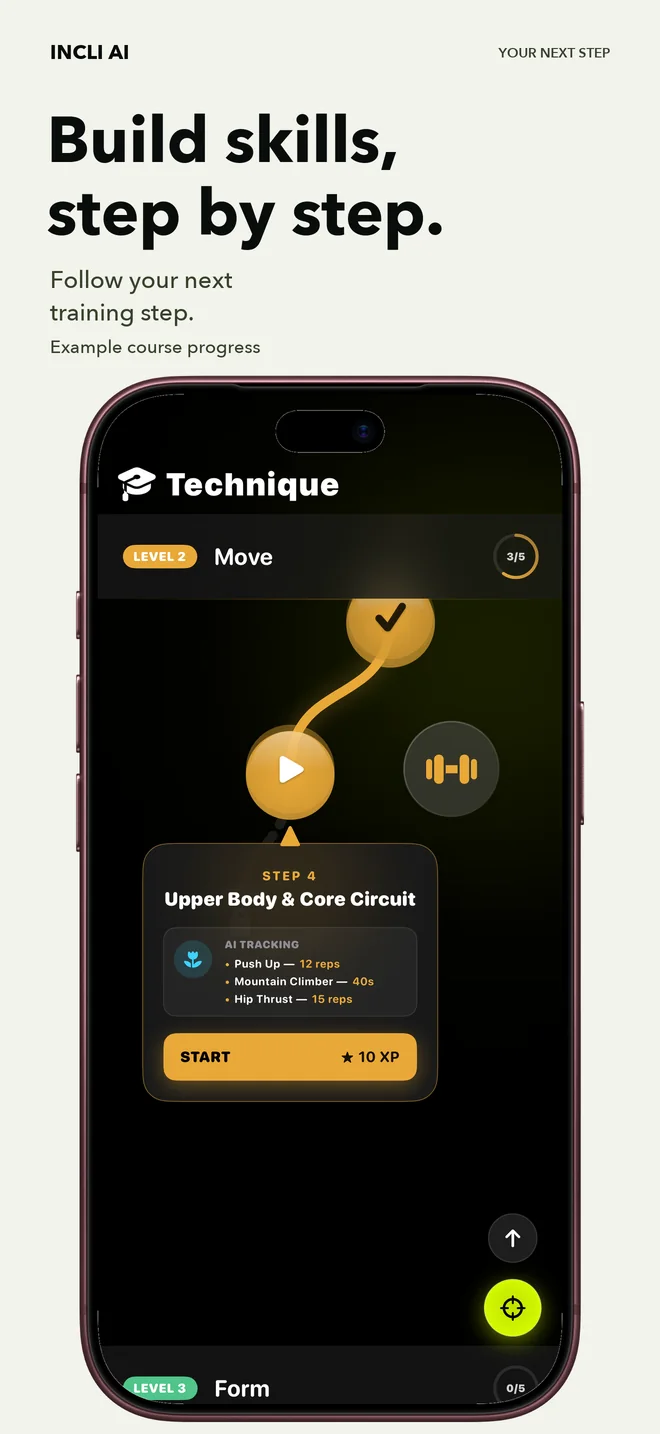
A guided path takes you from the basics to harder moves. Camera-tracked steps and XP for each one you finish give you a reason to come back.
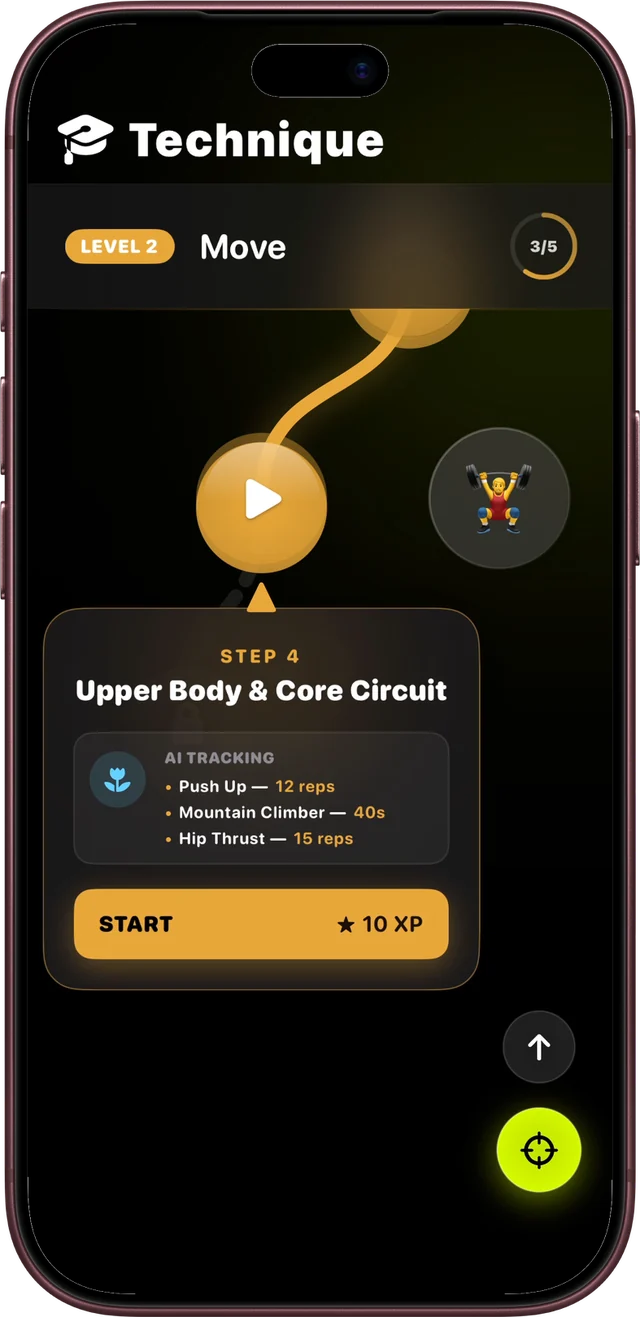
Screens from the Incli app. Workout, training history, and course progress are example data.
How it works
Lean it against a wall or a water bottle and step back until your whole body is in the frame.
Incli counts and checks every rep live. Your first squat check is free — no account needed.
Get your full-rep count, your tempo, and the one thing to work on next.
Body tracking runs on your iPhone. Your live camera feed isn’t uploaded for analysis, and a clip is saved only if you choose to save or share it. Train at home without a second thought.
Pricing
Do a free squat check during setup. Then get 7 days of Incli Pro free and decide if it’s worth it.
$49.99 / year
About $0.96 a week · 7 days free
$9.99 / month
7 days free · cancel anytime
U.S. prices. Apple shows your local price and trial terms before you confirm. The trial turns into a paid subscription unless you cancel at least 24 hours before it ends.
FAQ
Incli is a workout app for people who train on their own. Your iPhone camera tracks your body while you exercise, marks reps that reach full range, and gives you feedback on depth and tempo. After each set you see what to improve, and the app helps you decide what to train next with programs, a muscle training map, and a step-by-step technique path.
The download is free, and you can try a live squat check during setup without paying or creating an account. To keep training, you start Incli Pro with a 7-day free trial. After the trial, Pro is $49.99 per year or $9.99 per month in the U.S. — Apple shows your local price before you confirm. Cancel at least 24 hours before the trial ends and you won’t be charged.
Bodyweight and dumbbell movements the camera can see clearly, including squats, sumo and jump squats, lunges, side lunges, glute bridges, push-ups, planks, sit-ups, V-ups, jumping jacks, bicep curls, front and lateral raises, and overhead presses. Barbell lifts, pull-ups, and machines aren’t tracked — we only coach what the camera sees reliably.
Just your iPhone and enough space to step back so your whole body is in view. Many workouts are bodyweight only; some use dumbbells.
No. Body tracking runs on your iPhone in real time. We don’t upload your live camera feed for analysis. A photo or clip is saved only when you choose to save or share it.
Not yet. Incli AI is available for iPhone with iOS 18.1 or later.
Incli is a training tool, not a medical device. It helps you see your own movement and stay consistent. If something hurts, stop and talk to a qualified professional.
Subscriptions are managed by Apple. On iPhone: Settings → your name → Subscriptions → Incli AI → Cancel. Deleting the app does not cancel billing. Refunds are requested through Apple at reportaproblem.apple.com.
Prop up your iPhone, do a few squats, and see what your camera sees. It takes about a minute.
Free squat check · 7 days of Pro free · No wearables